AlDente Pro 1.37.2 macOS 电池养护 智能充电限幅 M5原生适配+实时状态看板
你手上的MacBook,正悄悄损耗着一块价值不菲的锂电芯——换新电池动辄千元起步,拆机还可能失去保修。与其被动等待衰减,不如主动掌控充放节奏:AlDente Pro 就是你口袋里的电池健康管家。
它不做模糊预测,只做精准干预:直接向系统管理控制器(SMC)写入硬性充电上限,把电池真实工作区间牢牢锁在30%–80%这一黄金带——这正是锂离子电芯老化最慢的“舒适区”。你无需紧盯电量条、不必反复拔插电源,更不用靠意志力对抗“再充5分钟就满”的诱惑。
对比macOS原生的Battery Health Management?它像一位谨慎的顾问,学习你的习惯后才动态调整;而AlDente Pro是果断的执行者——你设定80%(或75%、60%,甚至自定义任意值),它就雷打不动地截断电流,从源头杜绝过充与高压应力。这不是激进,而是对硬件寿命最务实的投资。
安装即用,登录自动唤醒。图标稳居菜单栏右端,轻点即唤出全新升级的交互中心:实时电量曲线图、多维度状态小部件、智能弹窗提醒(比如外接显示器误触发充电、开机瞬间检测到过充、休眠行为异常等),连Apple Shortcuts都能无缝联动能量模式切换。
这次1.37.2版本更是深度拥抱新生态:原生支持M5 MacBook Pro,新增瑞典语与阿拉伯语界面,重构睡眠行为设置逻辑,把“合盖锁屏”等高级选项归入清晰分层;修复了Calibration模式下时间显示错乱、充电阈值意外重置、Intel机型电源图标丢失等数十项顽疾;Helper工具安装/卸载流程更丝滑,许可证激活与邮箱修改体验全面提效——每一处打磨,都在让“延长电池寿命”这件事,变得比呼吸还自然。
如果你希望五年后打开MacBook,依然感受到扎实的续航底气,那么此刻启用AlDente Pro,就是你为设备未来签下的第一份健康契约。
What's New:
AlDente 1.37
AllAdded the Swedish language.Added the Arabic language.Improved support for the M5 MacBook Pro.Improved the Helper install and uninstall process.Fixed the Apple notifications appearing over the popover on macOS 26.Many more fixes and stability improvements.ProAdded a new Status widget for the popover.Added graph widgets to the popover.Added notifications in the popover.Added a notification for when the external monitor charging error happens.Added a notification when the MacBook was overcharged on app launch.Added the "Lock Screen when lid closed" setting to the Sleep Behavior.Improved the Sleep Behavior settings, providing more clarity.Improved the license activation process.Improved the Energy Mode widget to make it more intuitive.Improved the change email address process.Moved some Sleep settings to "Show Advanced Settings" section.Fixed invalid email error during activation when the email was inserted with a new line.Fixed menubar items "jumping" when values change.Fixed the interruption of the Calibration Mode when the charging state was changed through the menubar right click.Fixed the freezing bug after frequently changing the charge limit.Fixed a bug when Calibration "Hold for" didn't show the time correctly.Fixed a bug where Energy Mode Apple Shortcuts were not automatically completed.Fixed the charge limit resetting back to normal after the Calibration Mode finishes.Fixed the Calibration time resetting back to normal after the Calibration Mode finishes.Fixed some Tahoe design issues.Fixed resetting the charge limit after the helper was reinstalled.Fixed menu bar icon issues when the helper is uninstalled.Fixed the missing power plug icon in some areas of AlDente for Intel MacBooks.
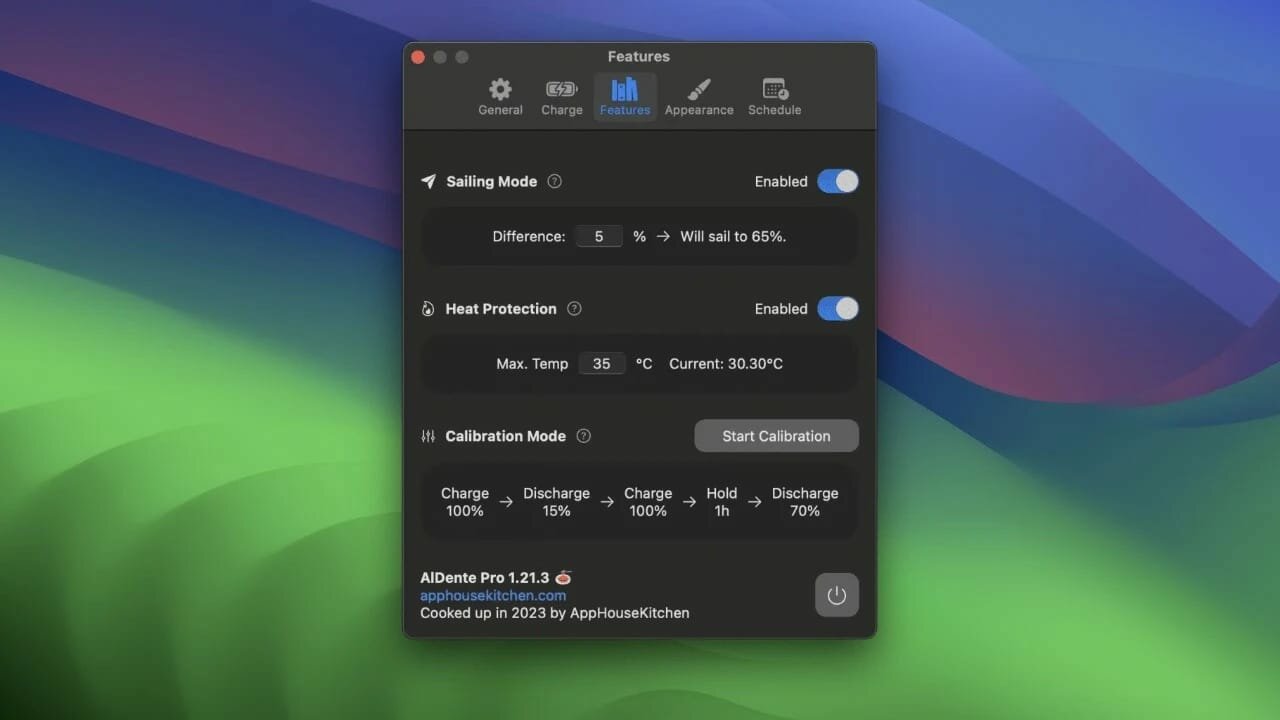
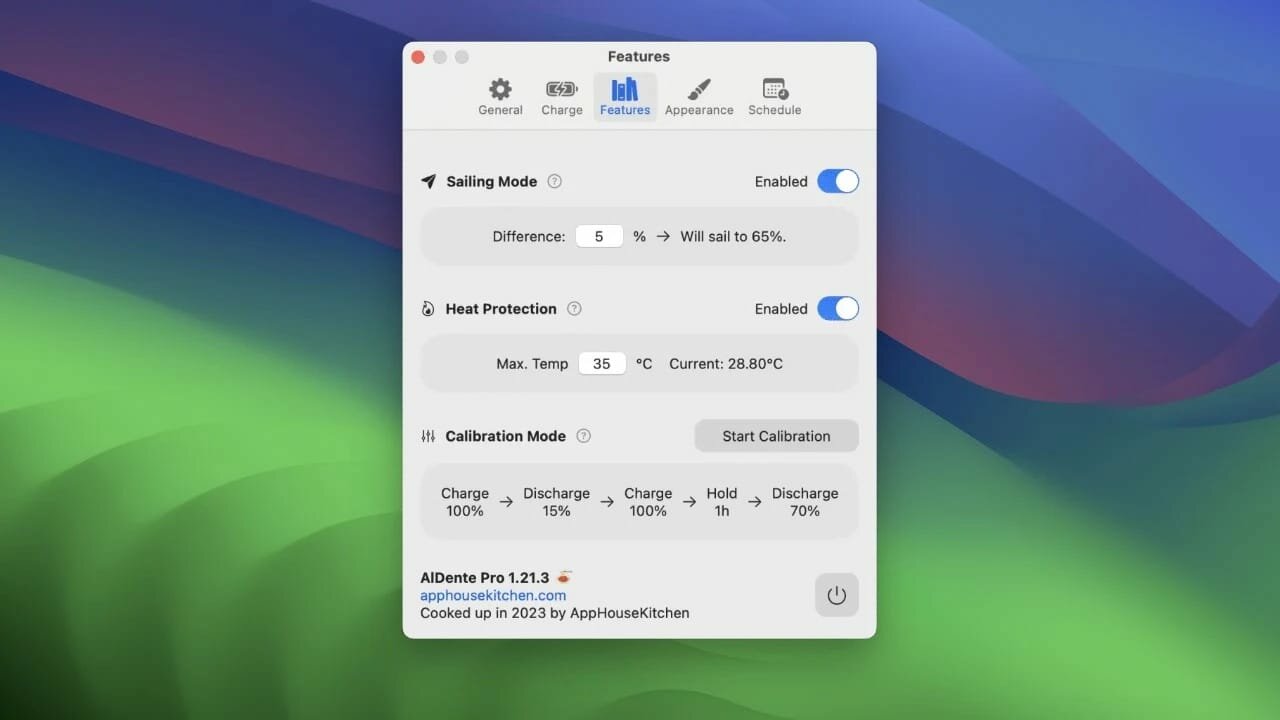
Screenshots:
下载地址: