FineTune 1.5.0 macOS 音频调控 原生轻量级多应用音量路由 + ISO标准响度补偿
你是否厌倦了每次调高会议软件音量,却把背景音乐炸得震耳欲聋?又或者想把游戏音频直送客厅功放、而通知声只走笔记本扬声器——却被macOS死死卡在“全系统统一音量”的牢笼里?别再妥协了:FineTune 就是为你打破这道墙的开源利器。
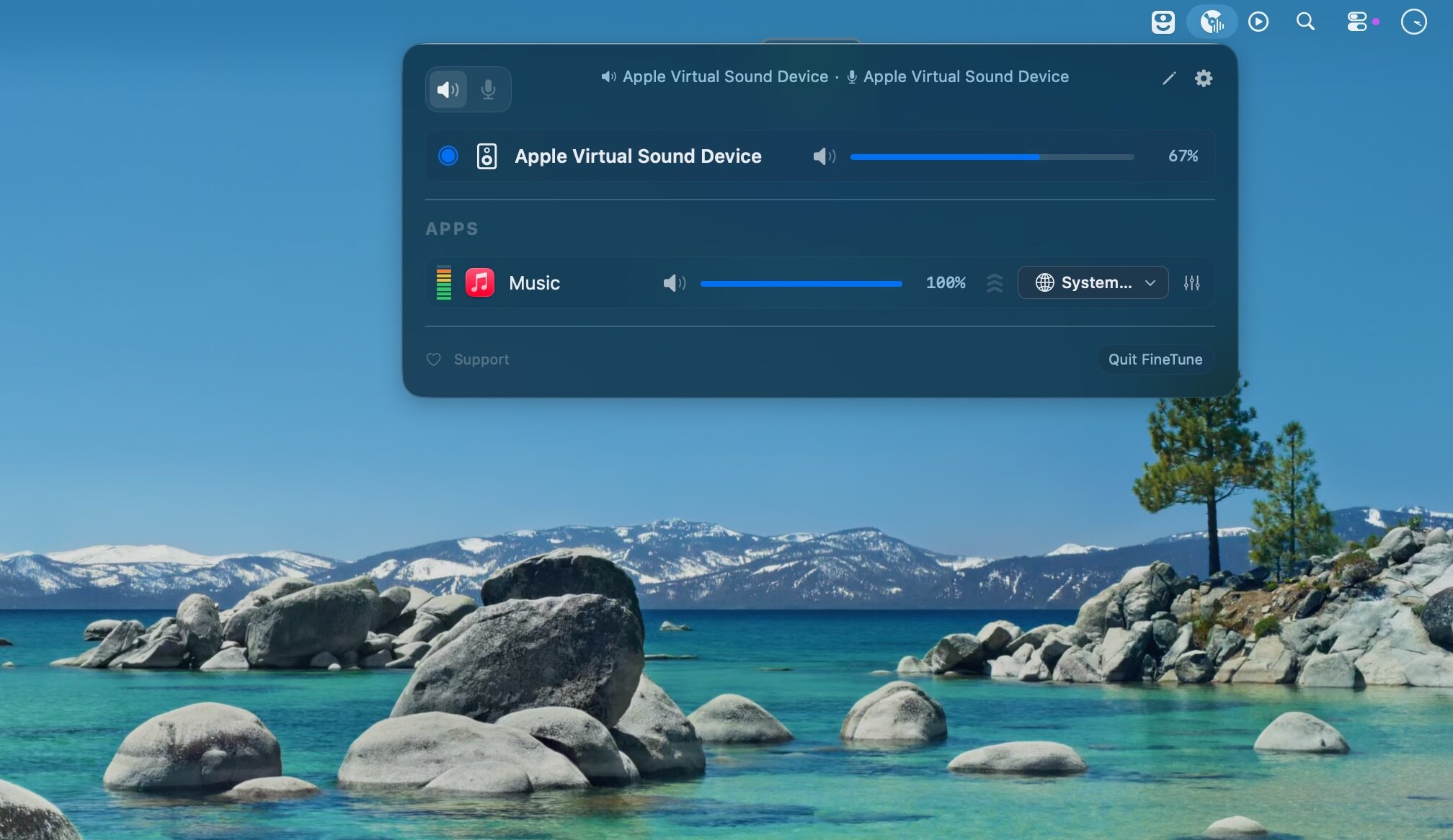
它不靠系统级权限硬闯,而是以原生菜单栏小工具的姿态悄然驻留——零后台进程、无内存拖累、安装即用。但就是这个纤薄身板,赋予你前所未有的音频主权:每个正在发声的应用,都在它的窗口里清晰列队;滑动一下,独立调节音量;点开下拉,秒切输出设备——USB DAC、AirPlay扬声器、蓝牙耳机……任你自由编排。所有设置自动记住,下次启动无缝延续。
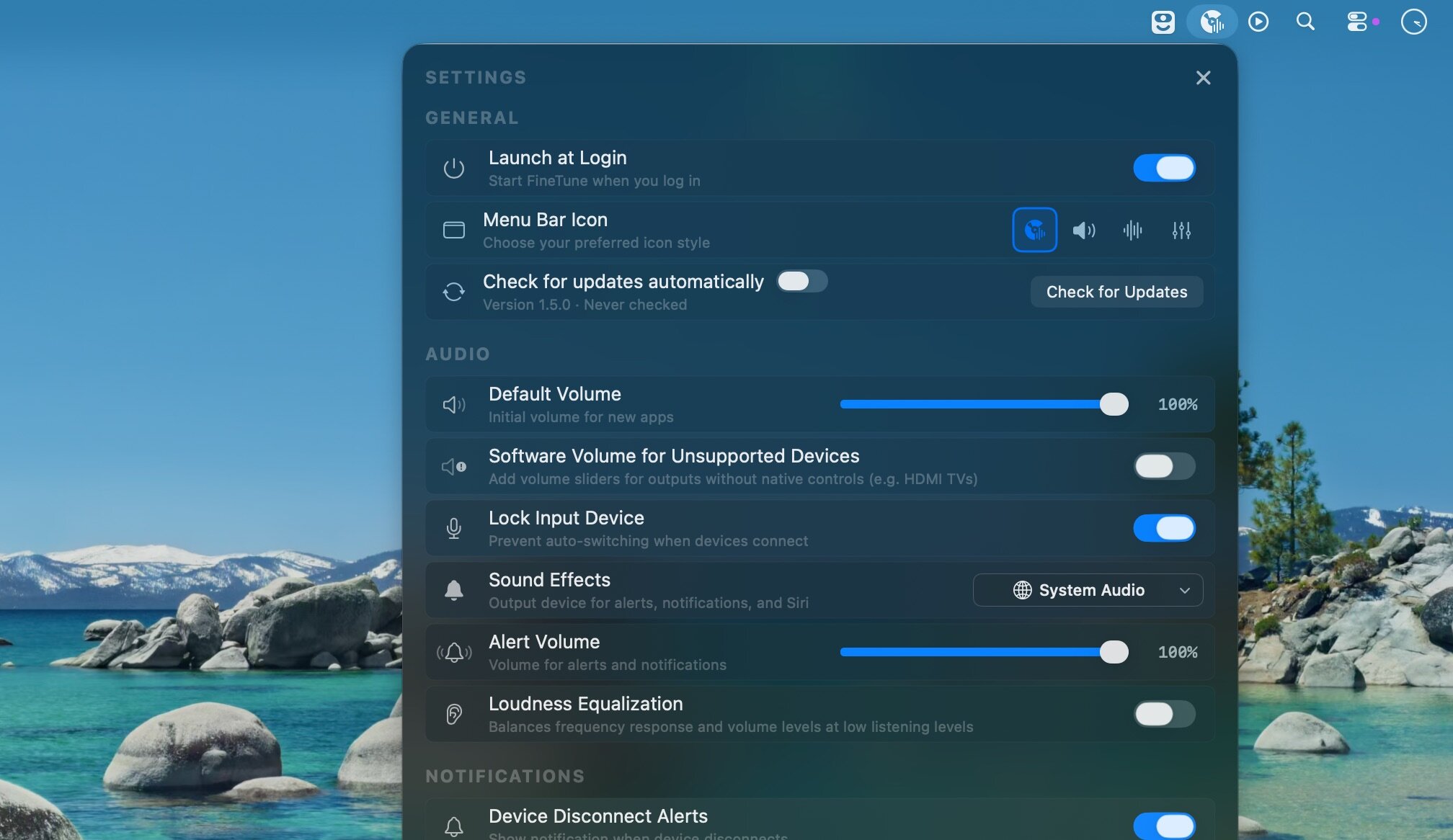
更聪明的是,它懂你的耳朵。新版1.5.0首发集成ISO 226:2023等响度曲线算法,开启「响度补偿」后,系统会实时感知你当前的设备类型与应用音量层级,动态增强被掩蔽的低频与高频——深夜调低总音量时,人声依然饱满清晰;会议室音量适中时,提示音穿透力不减分毫。这一切,只需一个开关,静默生效。
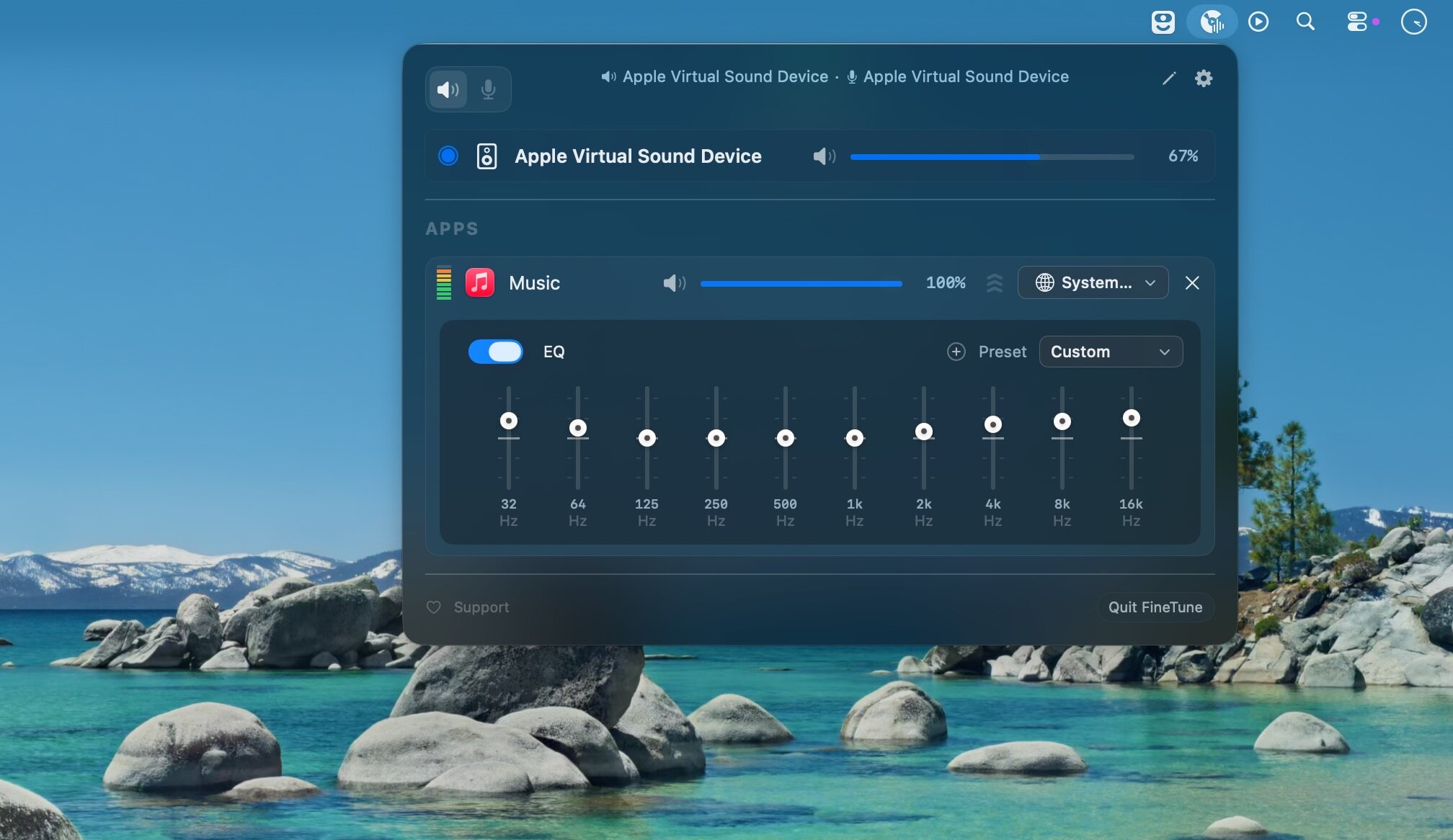
不止于路由与补偿:内置10段专业均衡器支持按设备保存自定义预设(命名、编辑、一键删除),新增「警报音量直控」让你彻底摆脱系统设置跳转;对不支持硬件音量调节的USB DAC,它还能智能接管软件层音量滑块,杜绝抖动与断续;就连多显示器环境下的DDC音量控件错位、外接耳机漏掉EQ等顽疾,这次全被精准修复。
没有花哨弹窗,没有学习成本——它就安静待在菜单栏,像呼吸一样自然。当你第一次把Zoom音频推给会议室音响、把Slack提示音缩到最小却不消失、在30%音量下仍听清播客里的吉他泛音时,你会明白:这不是又一个功能堆砌的工具,而是Mac音频体验本该有的样子。
What's New:
Version 1.5.0
New Features:
Loudness Compensation Equalization:Fletcher-Munson correction — At low volumes, human hearing loses sensitivity to bass and treble. FineTune now applies frequency-dependent EQ based on ISO 226:2023 equal-loudness contours to compensate, driven by your device and per-app volumeReal-time loudness equalization — Measures signal loudness using K-weighted (ITU-R BS.1770) RMS and applies wideband gain with a soft-knee compressor to keep perceived loudness near a targetBoth features behind a single toggle in settings, disabled by default
Alert Volume:
Control macOS alert and notification volume directly from FineTune settingsLive sync with System Settings via periodic polling
Software Device Volume:Volume control for output devices that don't support hardware volume (e.g., some USB DACs)Opt-in via Settings — off by default to avoid conflicts with hardware volume
Improvements:
User EQ presets — Save, rename, and delete custom EQ configurations per deviceAutoEQ panel redesign — Flat layout with mini toggles, cleaner search and profile browsingEQ preset name validation — Discoverable delete and inline rename
Bug Fixes:
Fixed muted icon not showing when displayed volume is 0% (#120)Fixed double audio taper on device volume slider — volume curve now matches System SettingsFixed USB DAC volume quantization feedback loop causing slider jitterFixed external headphones not getting EQ applied (PR #203)Fixed DDC volume slider mixed up on multi-monitor setups (PR #192)Fixed dropdown layout issue with LazyVStack (PR #184)Fixed AutoEQ correction toggle to be non-destructive (PR #208)Fixed alert volume write path using osascript subprocess and debounce
Screenshots:
下载地址: