MouseBoost Pro 4.3.0 macOS 鼠标增强 30+ 场景化右键工具 一键触发全链路自动化

告别繁琐操作——只需轻点右键,30余项高频生产力动作即刻唤醒:从新建文档、启动开发环境,到加密压缩、路径复制、哈希校验、文件隐藏,甚至切换系统主题或一键休眠,全部浓缩在你最自然的手势里。
你不再需要记忆快捷键、翻找菜单或反复拖拽文件——它把开发者、设计师、终端用户和日常办公族的真实工作流,直接“焊接”进右键上下文。想秒开 VSCode 并跳转当前目录?右键→选“代码编辑”;需要把整个项目打包加密发给客户?右键→“安全压缩”;临时切换深色模式护眼?右键→“主题快切”。一切直觉驱动,零学习成本。
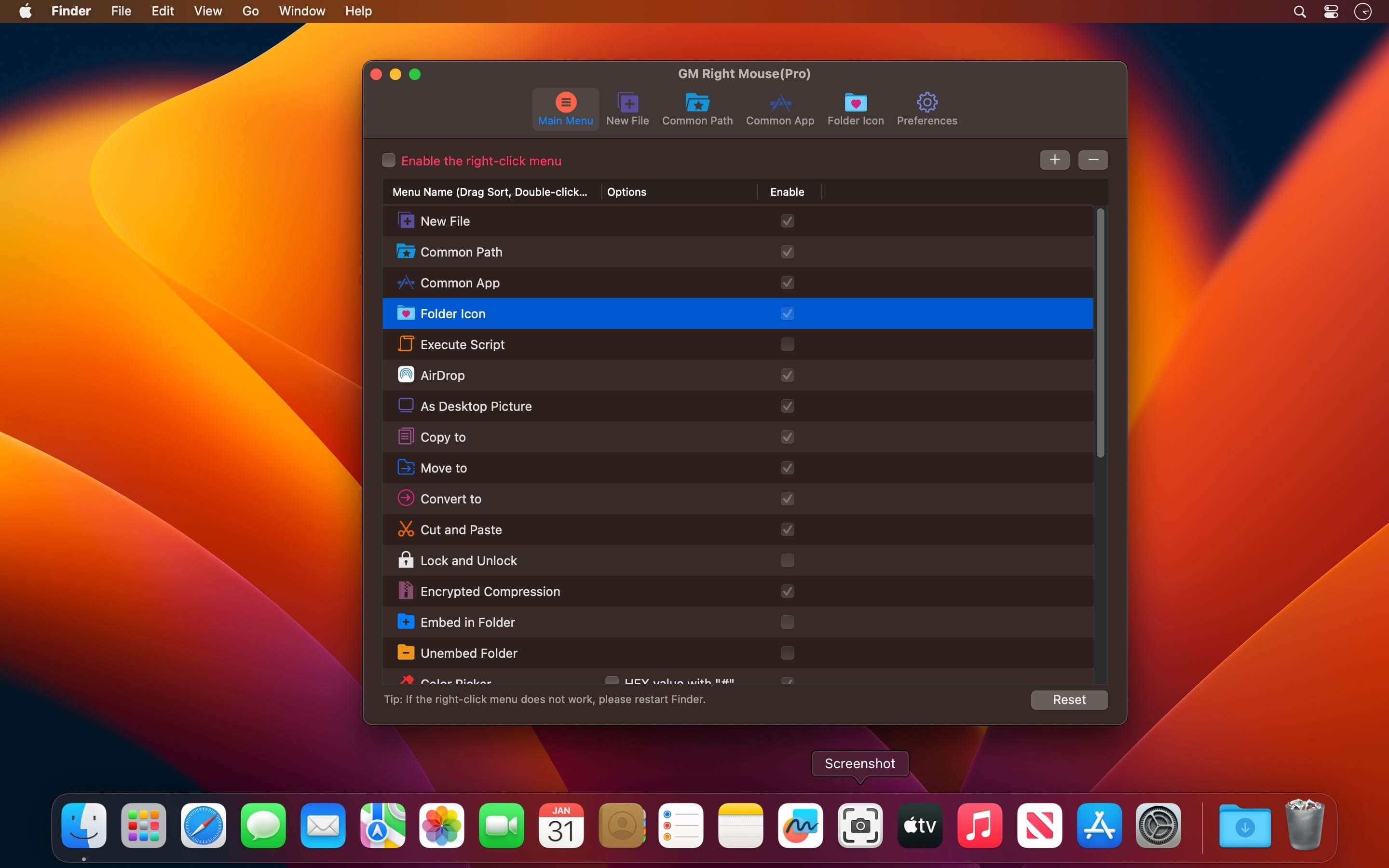
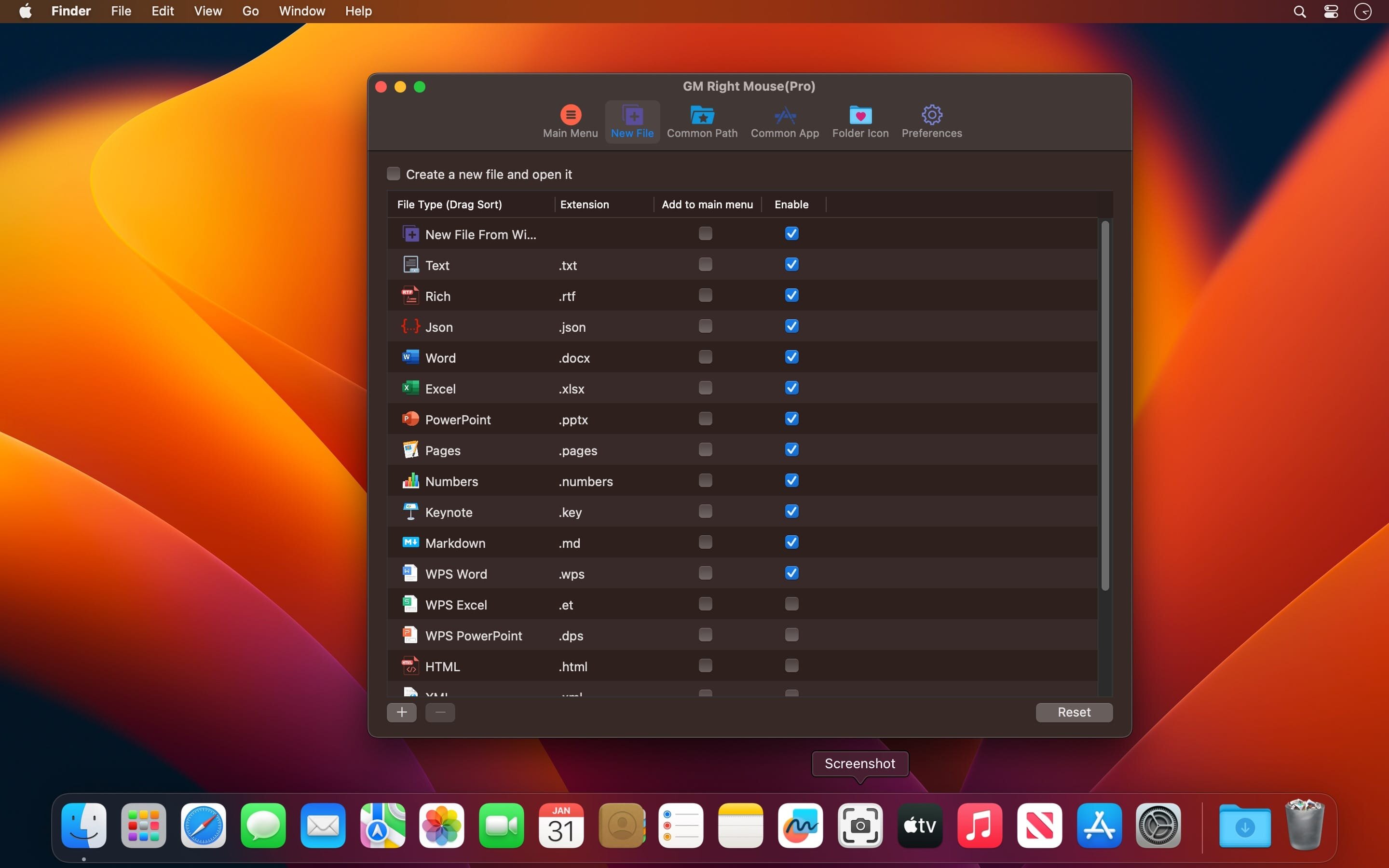
更聪明的是它的可塑性:所有菜单顺序由你定义;任意文件类型(.md/.json/.env/.ipynb…)支持一键生成;常用路径、APP、脚本均可预设为右键常驻项;连文件夹图标也能随心更换——这不是工具集,而是为你量身定制的 macOS 右键操作系统。
Main Features
All menus support drag-to-reorder customization.
Generate templates on demand: Markdown notes, config files, Python scripts — no templates required, just name and go.
Launch your dev stack instantly: VSCode, Sublime Text, Emacs, or any app — with automatic directory context.
Terminal power at your fingertips: Open iTerm2 or native Terminal directly in the current folder.
Copy full POSIX path with one click — no manual dragging or “Get Info” digging.
Bypass Trash entirely: Permanent deletion for sensitive files, with optional confirmation.
Drag-free file ops: Move, copy, cut across volumes — visual feedback included.
One-click encrypted ZIP/TAR.GZ: AES-256 secured, password prompt built-in.
Jump to favorite folders (Downloads, Projects, Archive) from any Finder window.
Instant file fingerprinting: MD5, SHA1, SHA256 — displayed inline, copied to clipboard.
Toggle visibility of hidden files (.DS_Store, .git) without Terminal commands.
Personalize folder appearance: Apply custom icons to any directory — no code needed.
What's New:
Version 4.0.0
Version 4.0.0 — Where automation goes native.
Execute Shell scripts and AppleScript workflows directly from right-click — no wrapper apps, no permissions popups.
Dark/Light theme toggle + System Lock/Sleep — all mapped to single-click actions for daily rhythm control.
Stability overhaul: Resolved race conditions during rapid multi-action sequences and improved sandbox compatibility.
Screenshots:
下载地址: