File Cabinet Pro 8.8.1 download
File Cabinet Pro 8.8.1
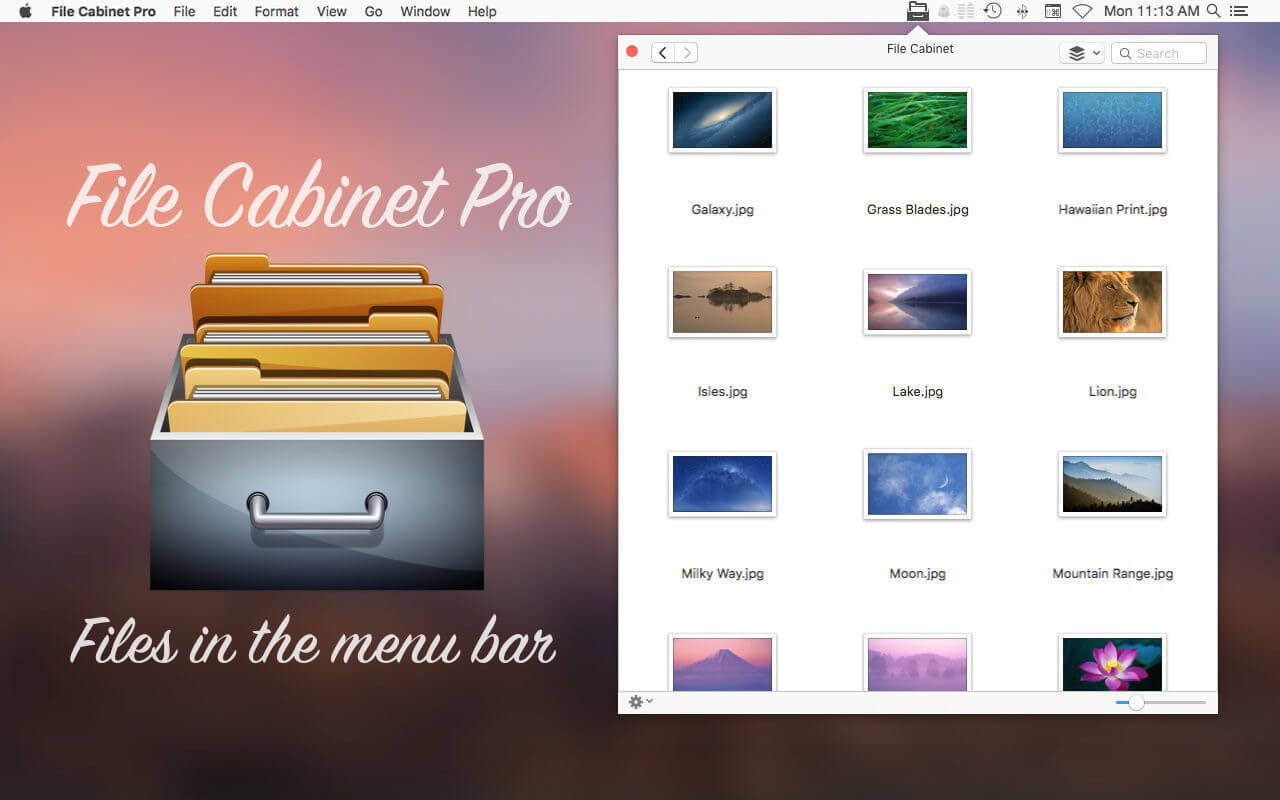
File Cabinet Pro is the file manager for the macOS menu bar. Quickly navigate to files without cluttering your desktop. Open, move, rename, compress, tag, trash, copy and paste files, all from the menu bar. You can open many file types natively in File Cabinet Pro or open files by launching other applications. It's easy to click into directories in icon view, drill through directories in list view, or navigate the file tree in column view.
File Cabinet Pro is also a document-based application that ships with a built-in text editor, image viewer, pdf viewer, and media player. Some of the file types File Cabinet Pro can open for editing/viewing include:
TEXT DOCUMENTS:
Plain text files (txt)Rich Text Format (rtf)Rich Text Format Directory (rtfd)Portable Document Format (pdf)
IMAGE DOCUMENTS:
Portable Network Graphics (png)Joint Photographic Experts Group (jpeg)Tagged Image File Format (tiff, tif)Bitmap image file (bmp)Photoshop File Format (psd) Import onlyScalable Vector Graphics (svg) Import only
VIDEO/AUDIO:
movmp4m4am4vavimp3wavcafaif
With File Cabinet Pro you can:
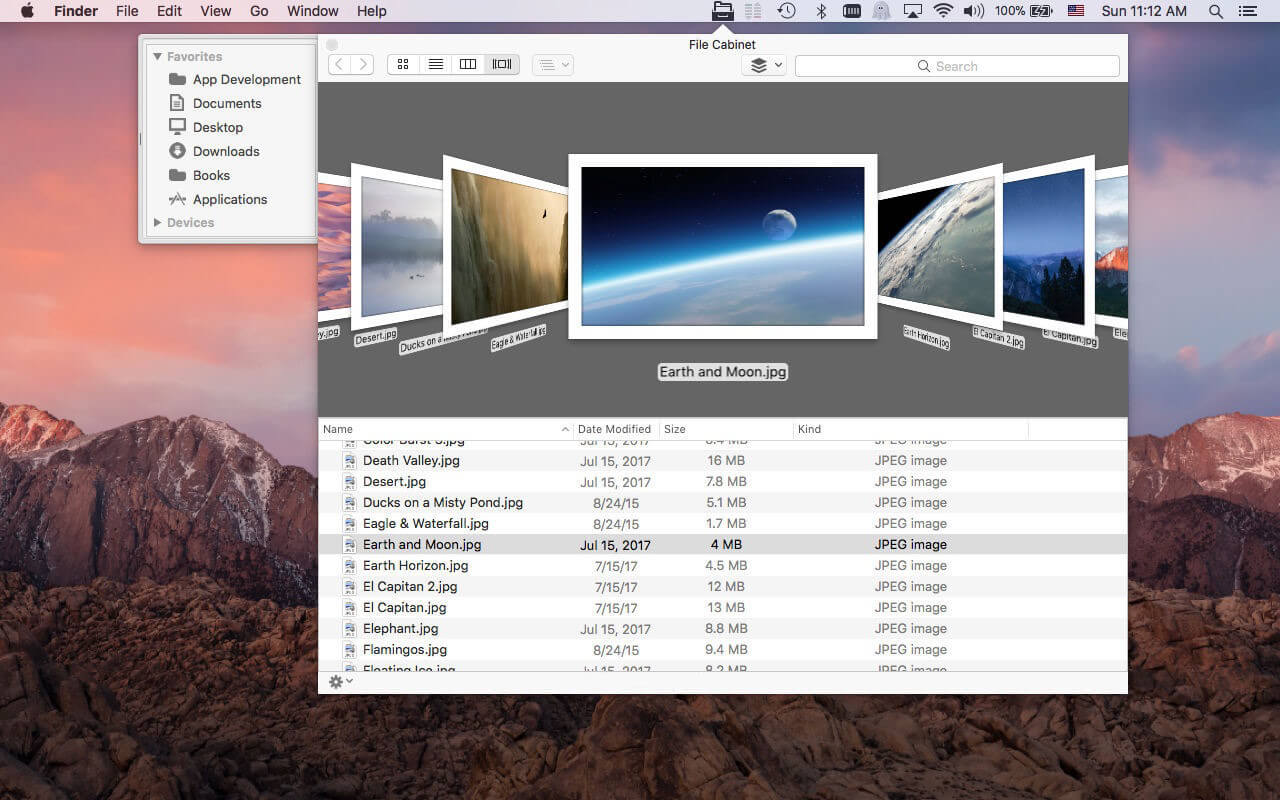
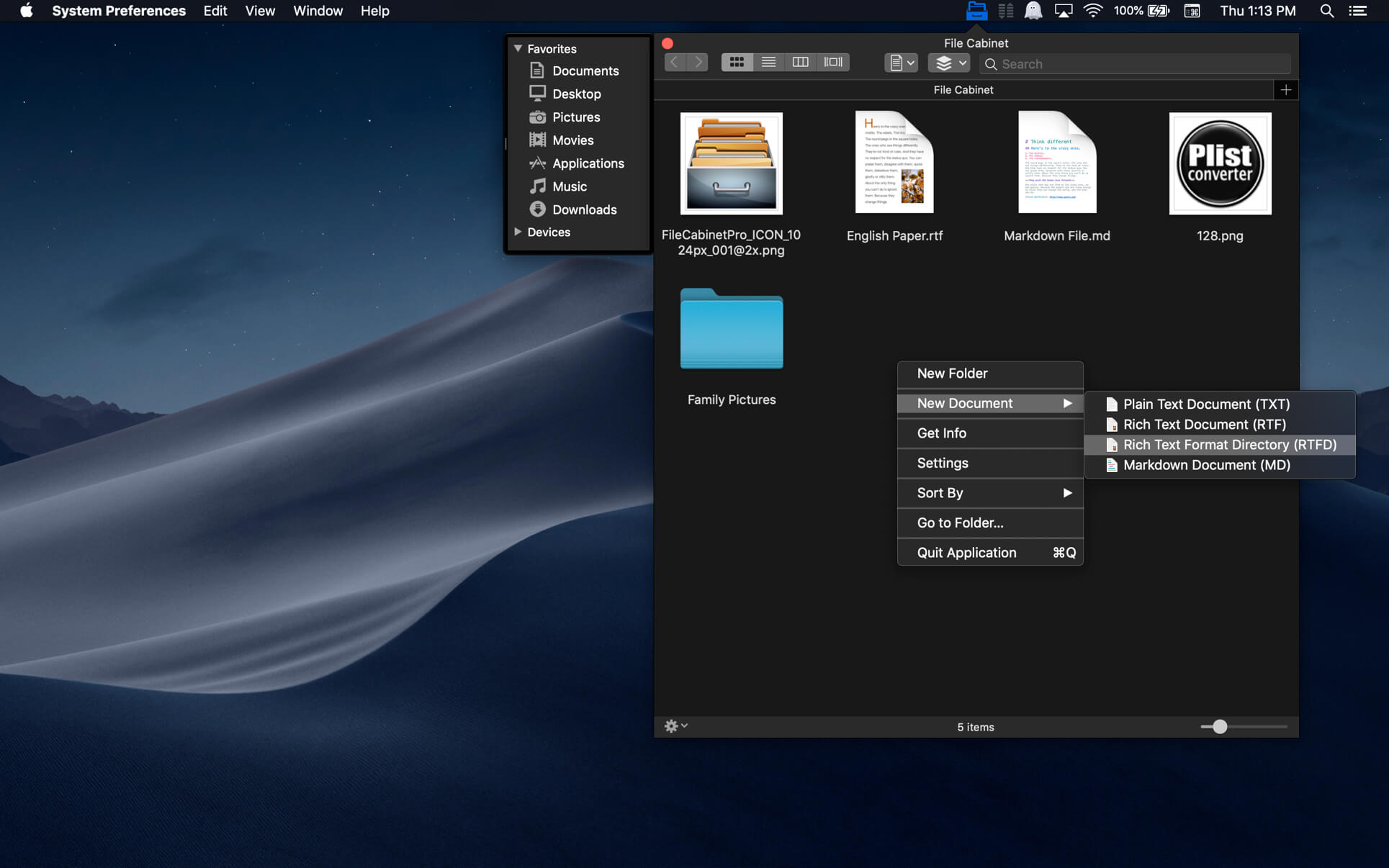
Create subdirectories.Click into subdirectories and open documents.Set a "Primary" and "Secondary" directory button for the bottom bar to get an innovative drag and drop experience; drag files to these buttons in the bottom bar to bring up a popover window.Tag files easily. Select files in File Cabinet Pro, right click, and then simply add or remove file tags from the control in the context menu.Show selected files in Finder.Rename files.Copy and paste files.Compress files.Trash files.View items as icons, in a list, or in columns.Launch the application at login. You can have File Cabinet Pro automatically launch when you login to your Mac (optional feature, disabled by default).Create a list of all your favorite directories in the sidebar.Create and edit txt, rtf, and rtfd files using the built in lightweight text editor.Rotate images, crop images, and apply filters to images using the built in lightweight image editor.Watch video and play audio files using the built in media player.View pdf files using the built in pdf viewer.Revert document versions for supported editable document types.Set a Global Hotkey for showing and closing the File Cabinet Pro window (optional feature, disabled by default).Preview selected files in Quicklook by pressing the spacebar.Share files in apps that support Sharing extensions like Mail and Messages.
What's New:
Version 8.8.1
The Favorites sidebar has been moved into the main window and placed on Liquid Glass (Liquid Glass requires macOS 26.0 or later).The Favorites sidebar now displays larger and better looking icon images on macOS 11.0 or later.Fans of the retro style sidebar can set the new "Sidebar Style" preference to "Classic" in app settings.File Cabinet Pro can now automatically resize columns in Column view to fit filenames. To enable this feature turn on the "Resize columns to fit filenames" checkbox in app settings.You can now enlarge the size of images in Icon view using the Command+ keyboard shortcut.You can now shrink the size of images in Icon view using the Command- keyboard shortcut.You can now add a 'Verify Checksum' button to the toolbar.
Fixes:
Fixed rare crash related to Icon view reloading when restoring directory state.Workaround fix for a bug in macOS that could cause a crash when viewing files in iCloud.
Screenshots:
下载地址: